
Is remote recording possible?
We’ve always prided ourselves on delivering podcasts and business programs that sound incredible.
Over the years, we’ve continually invested in the best microphones, recording and editing equipment, and even our own tailor-built, state-of-the-art studio.
Yes, we admit it—we’re a bit nerdy about audio quality, but the results speak for themselves!
For guests outside Melbourne, we’ve traditionally partnered with ABC studios in cities and regional centres across Australia, as well as radio stations overseas.
We understand that most listeners experience podcasts through headphones or earphones, so the listening experience needs to reflect the high-end quality of our programs.
It’s one of the reasons our podcasts consistently stand out as some of the best-sounding shows on the market.
Then, along comes the coronavirus
…and with it, a sudden need to pivot.
For eight weeks, we couldn’t invite guests into our studio or ABC satellite locations. Like many broadcasters, we had to move to remote interviews. While it wasn’t always smooth sailing at first, we adapted quickly and maintained the same high production standards we’ve always held.
Luckily, we already had a few tools and processes in place that made the transition seamless and that’s where platforms like Riverside have been game-changers.
Recording Remotely in 2026: How Riverside Makes It Easy
Riverside.fm has become our go-to platform for remote recording. It offers an intuitive interface, records studio-quality audio (and even video), and is far more reliable than platforms like Zoom or Skype for podcasting purposes. For podcasters, whether you’re experienced or just starting, Riverside allows your guests to record from anywhere in the world while maintaining professional sound quality.
When you work with us, you’re not left to figure it out alone. Our team can sit in on your recordings, guiding your guest through setup and live troubleshooting to make sure everything sounds perfect. This service means less stress, fewer do-overs, and a polished, professional result every time.
Even if you’re recording solo or with a co-host, our team can offer live guidance to help you achieve studio-quality sound right from your home office, a small studio, or anywhere else.
A GUIDE TO REMOTE RECORDING
Why is the recording space important?

Where you record has a profound impact on the quality of the recording. Sound bounces off hard surfaces, so being in a quiet environment ensures no interruptions.
The ideal set up:
- Small, quiet room: Large rooms create reverb, which can make voices sound distant.
- Carpeted flooring: Hard surfaces like concrete or wooden floors increase echo.
- Soft furnishings: Add cushions, rugs, or blankets if needed to absorb sound.
- Curtains or blinds: Keep them closed to reduce outside noise.
- Air conditioning and heaters: Turn off to avoid background hum.
- Phones and devices: Silence them to prevent interruptions.
- Other noise sources: Fridges, traffic, pets, or family members can interfere, so plan accordingly.
Recording Equipment
While not all audio equipment is created equal, you might be surprised at just how good reasonably priced microphones and headphones can sound. In 2026, podcast technology has become more accessible than ever, and you no longer need a full studio setup to achieve quality audio. With the right basic equipment and recording platform, you can record a podcast from home, your office, or even while travelling and still sound polished and professional.
Good audio is one of the biggest factors that separates a professional podcast from an amateur one. Listeners will often tolerate average video, but they will quickly stop listening if the audio is unclear, echoey, or full of background noise. Investing in a simple setup can make a huge difference to how your podcast is perceived and how seriously your brand is taken.
Below are the equipment options we typically recommend for podcasters and podcast guests recording remotely.
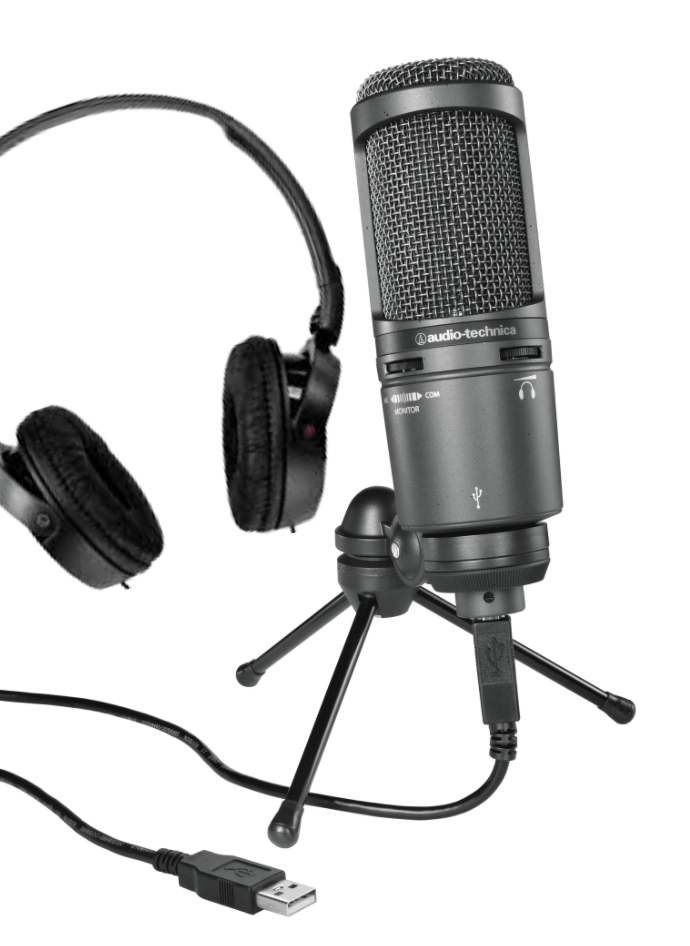
Headphones and USB Microphone
A simple and highly effective solution is a set of headphones and a USB microphone that plugs straight into your computer. This option provides excellent sound quality and is by far our preferred setup for most podcasters and guests recording remotely.
USB microphones are popular because they are easy to use, affordable, and deliver very good sound quality without needing complicated audio interfaces or mixers. Most USB microphones are plug-and-play, meaning you simply connect them to your computer, select the microphone in your recording platform (such as Riverside), and you’re ready to go.
Using headphones is just as important as using a good microphone. Headphones prevent audio from your guest or co-host playing through your speakers and being picked up again by your microphone, which can cause echo and feedback. They also allow you to clearly hear the conversation and monitor audio quality while recording.
This setup is ideal for:
- Podcast hosts recording regularly
- Remote interviews
- Online business podcasts
- Guest interviews
- Video podcasts
- Webinar or course recordings
- Thought leaders building a personal brand podcast
For most people starting a podcast in 2026, a USB microphone and wired headphones are the easiest and most effective way to get professional sound without needing a full studio setup.
Corded Headphones & Microphone Set
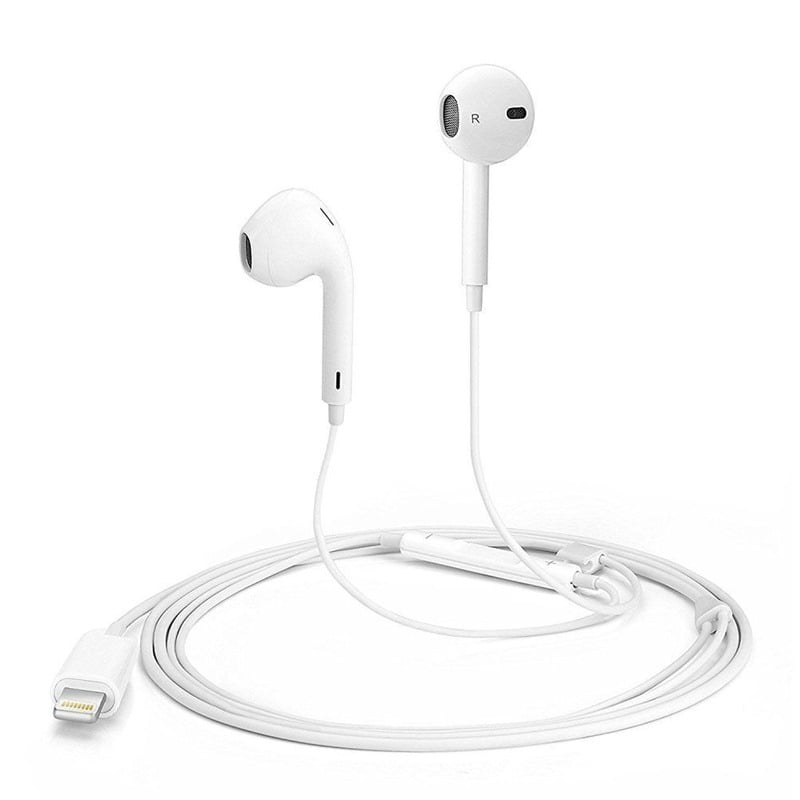
If you don’t have an external USB microphone, the second best option is a set of corded headphones with an inbuilt microphone (such as the original Apple wired headphones or similar). These plug directly into your computer and can still capture your voice quite clearly.
While this option won’t sound quite as rich or full as a dedicated USB microphone, it is still perfectly acceptable for podcast interviews and is far better than using your computer’s internal microphone.
The key advantage of this setup is convenience. Many people already own a pair of wired headphones with a built-in microphone, so it’s an easy solution for guests who don’t regularly record podcasts or who are joining interviews remotely from different locations.
This option is ideal for:
- Podcast guests
- One-off interviews
- Remote team members
- Clients appearing on branded podcasts
- People travelling or working remotely
The most important thing is that the headphones are corded, not wireless.
Don’t Use Bluetooth or Wireless Headphones
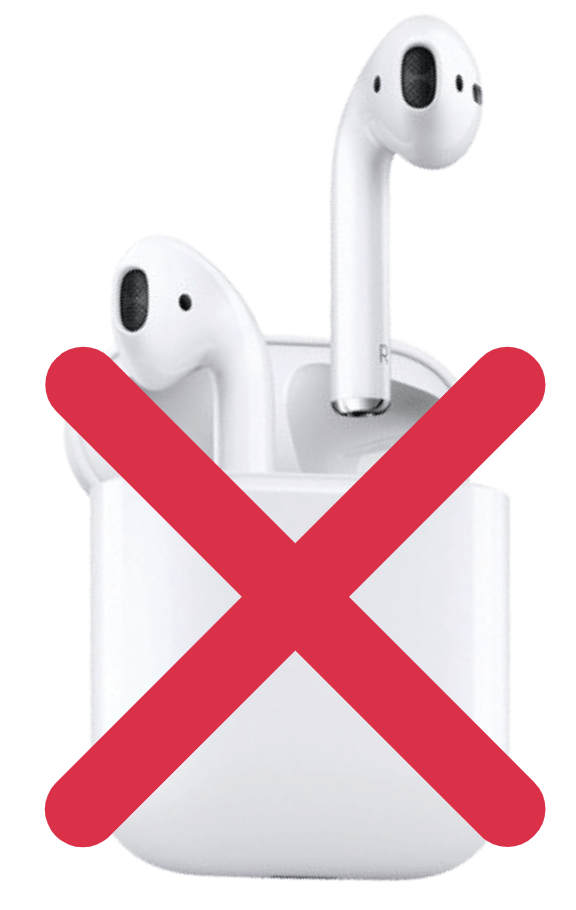
Bluetooth or wireless headphones, such as AirPods or other wireless earbuds, are convenient for phone calls and meetings, but they are not suitable for podcast recording or interviews.
Wireless devices compress audio and reduce sound quality, which results in audio that sounds thin, inconsistent, and sometimes distorted. Bluetooth connections can also drop out, cause syncing issues, or switch microphones automatically without you noticing, which can ruin a recording.
In addition, wireless microphones often pick up more background noise and room echo compared to a USB microphone placed correctly in front of you.
For professional podcast recordings, we strongly recommend avoiding:
- AirPods
- Wireless earbuds
- Bluetooth headphones
- Built-in laptop microphones
- Speakerphone audio
Using wired headphones and either a USB microphone or a corded headset will always provide more reliable and higher-quality audio.
Final Thoughts on Equipment
The good news is that you don’t need an expensive studio to start a podcast in 2026. Many successful podcasts are now recorded remotely using simple home setups combined with professional recording platforms and editing.
When working with our team, we can help you choose the right equipment, test your setup before recording, and even sit in on your recordings to make sure everything sounds professional and runs smoothly.
That’s It!
If you have any questions or would like to find out how we can help you create a podcast for your brand, launch a new show, or improve your existing podcast, get in touch with us below.